Note: This article is for users who have access to the VideoMy platform with a sign-in. If you’ve been invited to create content via a campaign but don’t have a login, please see the How to Record as a Creator article instead.
Step-by-step instructions:
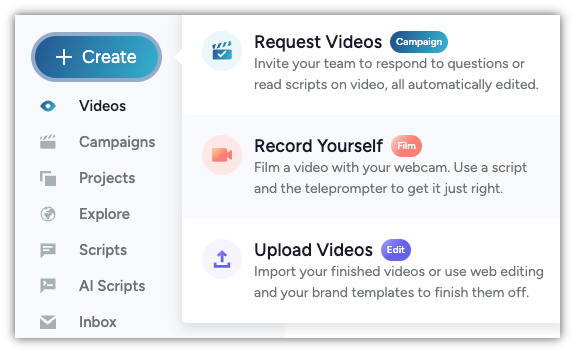
- Click on the +CREATE button on the top left corner. Then select "Record Yourself"
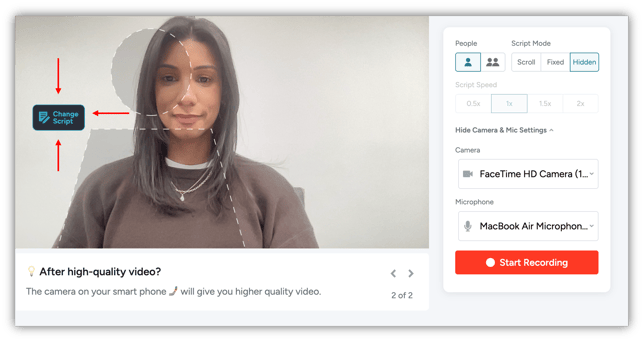
- The "Record Yourself" option will take you to a web recording page where you can select a script selecting "change script" shown below. Then select your script speed. You can change the camera and microphone with the drop down, and then hit the start recording button
- Once you’ve recorded your video, you can "Save Video" and access it via your inbox, "Download" it, or simply "Discard and sStart Over" to do as many takes as you need